


Microsoft Copilot Cowork is now in Frontier release. Cowork is your very own executive AI agent that plans and executes work across M365 in minutes not hours.
With the release of Microsoft Copilot Cowork, we’re at last seeing a fundamental shift — not just in what AI can generate but what it can action and how inside a secure and controlled work environment.
This isn’t another Copilot feature. This is the moment Copilot stops being a helpful companion… and starts becoming your EA – executive agent that is!
What is Copilot Cowork?
Up until now, Microsoft 365 Copilot has worked like this:
You ask → Copilot generates → You react, compile, collate and deliver
Copilot Cowork flips that model:
You describe the outcome (not the steps) → Cowork plans & executes → You approve → Cowork delivers
Copilot Cowork powers up M365 Copilot with the ability to plan and carry out multi-step work across your Microsoft 365 environment. You provide one instruction, track the progress, and only dive in when Cowork asks you for approval or explicit guidance. Here are a few great ways we’re already putting Cowork through its paces…
- Draft, refine AND send emails
- Request, schedule and update meetings
- Create Word, Excel, PowerPoint documents in one step
- Draft and post in Teams
- Manage and move calendar items and files
- Run multi-step workflows across apps
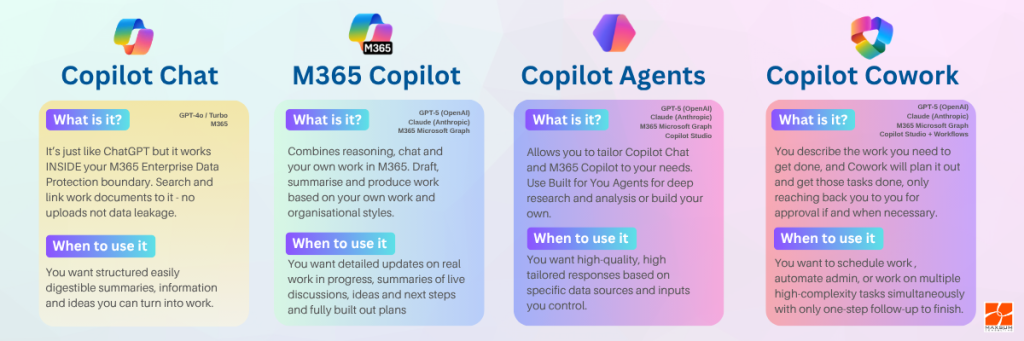
Where does Cowork fit into the Copilot stack?
Cowork is currently available via the Microsoft 365 Frontier program, which provides early access to emerging AI innovations. That’s intentional. Because this isn’t just another feature release — it’s a new way of working with AI. Think of it as the next iteraction of Copilot.
How is Cowork designed to work?
Cowork operates on a simple but powerful loop:
1. You describe the outcome you want to achieve – not the steps – just the goal.
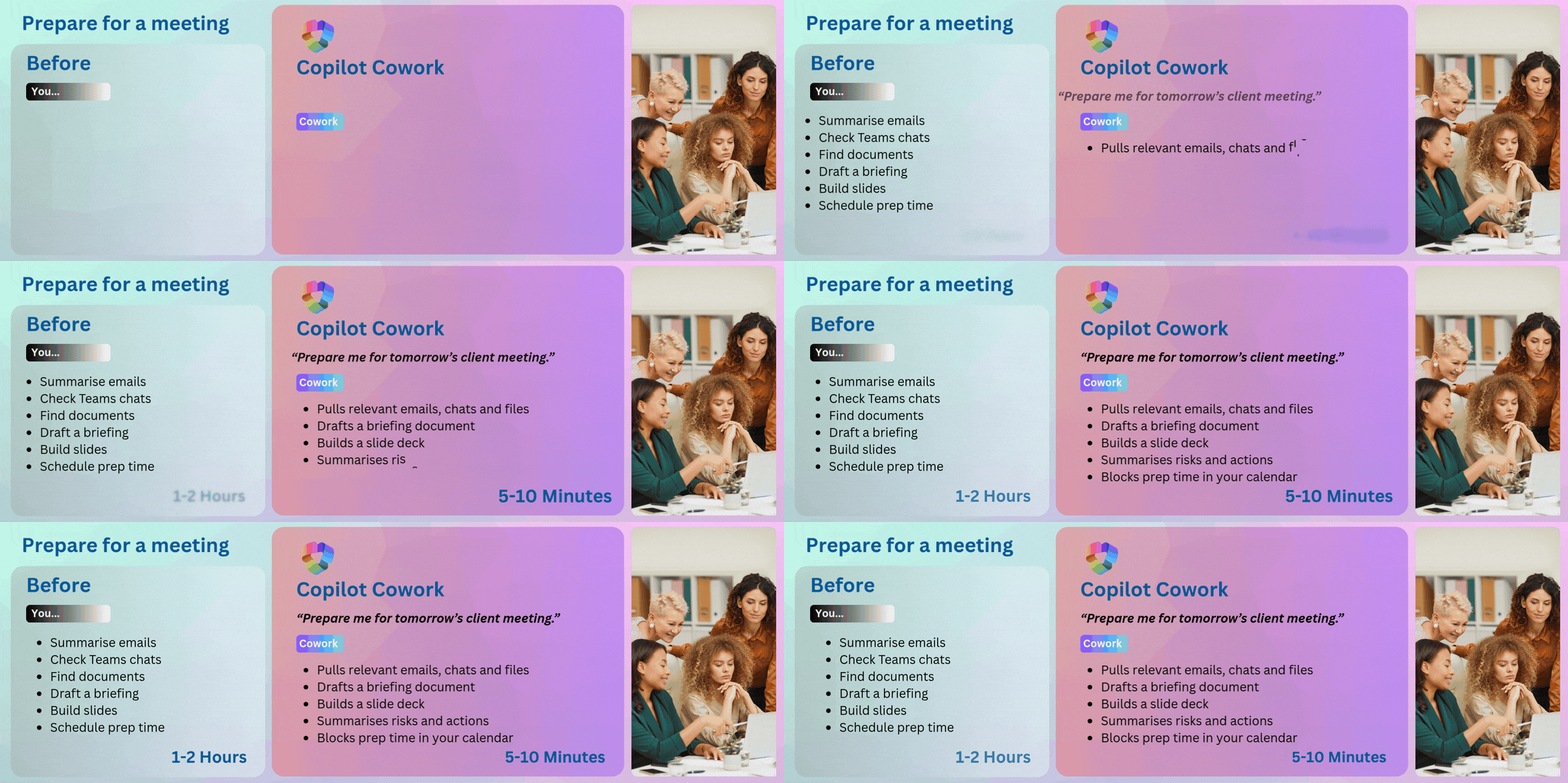
“Prepare me for tomorrow’s client review meeting.”
2. Cowork creates a plan and breaks the request into steps
Cowork will: Find relevant emails – Pull documents – Analyse notes – Draft a briefing – Create slides – Schedule prep time
3. Cowork executes across Microsoft 365
Cowork actions work in: Outlook – Teams – SharePoint / OneDrive – Word – Excel – PowerPoint – Calendar
4. No app-switching required. You can watch Cowork at work and you remain in full control.
You can pause, adjust or intervene at any point and remember it will ask for approval before taking action (e.g. sending emails, booking meetings)
Maxsum Insight: Where we see the biggest impact
From our experience in delivering Copilot envisioning, strategy and enablement programs across multiple organisations over the last 18 months, here is where we believe Cowork will deliver the most impact:
- Delivering quality knowledge work on-time every time
Reports, briefings, meeting prep - Driving coordination-heavy workflows
Projects involving multiple tools and stakeholders - Alleviating admin-heavy roles
Inbox management, scheduling, follow-ups - Powering up leadership productivity
Decision support and preparation
These are the areas where time is lost today — not so much in individual tasks, but in connecting them together and moving them closer to the finish line.
Interested in what this means for your organisation? Reach out to Maxsum today to:
Enable Frontier access | Identify high-impact use cases | Implement governance and security controls | Align AI with measurable business outcomes
